
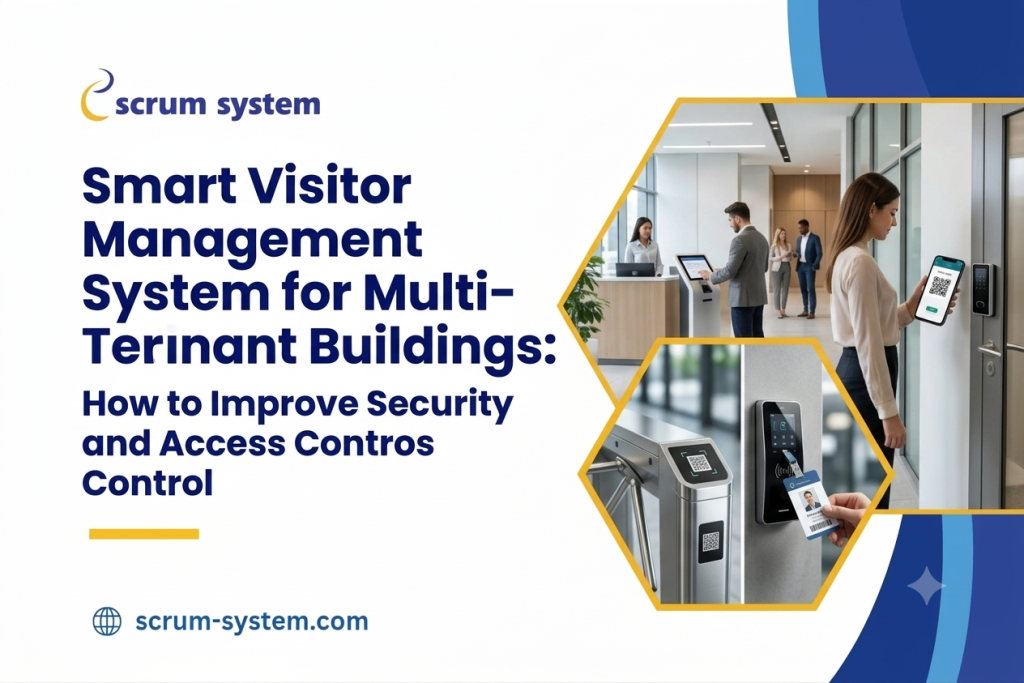

Smart Visitor Management System for Multi-Tenant Buildings: How to Improve Security and Access Control
Introduction
Multi-tenant buildings are buildings that house a range of businesses. They provide a place for employees, service providers, contractors and visitors to be in one place. Whether it being a commercial building, business park, co-working space or corporate campus it is important to provide an easy way for visitors to enter whilst maintaining a high level of security. As multiple organisations will be entering the building using the same reception, gates, lifts, parking and communal areas it makes managing visitors more complex. Each tenant will have their own processes for approving visitors, opening times and access restrictions. The building management team are responsible for maintaining security. Traditional paper based systems and manual approvals can cause issues. Security staff may struggle to confirm visitor details, contact the right host, keep track of who has entered and exited and stop unauthorised entry. This can cause long queues at reception. A multi-tenant visitor management system helps to overcome this by providing a streamlined process for recording, verifying, notifying hosts and keeping a record of visitor access. This allows each tenant to manage their own visitors whilst also allowing building admin to have a centralised system for security. Implementing a smart visitor management system is an important step for modern commercial buildings to improve access control, secure tenant data and provide a safe environment for visitors.
What Is a Multi-Tenant Visitor Management System?
A multi-tenant visitor management system is a digital tool that can be used within multi-tenant buildings. This means that tenants can easily manage their visitors using a single solution yet still ensure that visitor data, approval processes and access is separated.
For example, a commercial building may have 25 different companies operating within it across 15 floors. Whilst all visitors will enter the building from the same main entrance each company needs to ensure that their own visitors are approved and only allowed to visit the correct areas.
A good multi-tenant visitor management system will help manage this. The building admin can manage the general processes of visitors entering, security and visitor activity within the building. Whilst each tenant can view, approve and be notified when visitors arrive. They can do so based on their permissions. This provides a good balance of security across the building whilst also allowing tenants to manage their own visitors.
Why Do Multi-Tenant Buildings Require Smart Visitor Management?
1. Shared Reception Areas
Managing multiple businesses within a shared reception area can prove difficult. The receptionists will need to determine which business the visitor is for, check if they have an appointment with an employee and check if they have permission to enter. If there isn’t a set process in place then visitors could be sent to the wrong office or gain access before confirmation of their appointment. Using a digital visitor management solution will allow you to set processes around your visitor registration and approval processes. This will make it easier to see where your visitors are going.
2. Varied Security Needs
A financial services business may require extra checks to be carried out to verify their identity. A design studio may want their guests checked in quickly. Whereas a healthcare organisation or research centre may have more restrictions on who can enter certain areas. All of these needs need to be considered when using a shared building. Whilst maintaining overall security standards. Multi-tenant systems allow you to set processes for your individual tenants. Whilst keeping overall building processes in place. Overall building requirements can be set by administrators and the authorised tenant representative can handle processes for their offices.
3. Manual Registers
Manual registers aren’t helpful for real time tracking. Manual entries may not be detailed enough, can be hard to read and would be difficult to look up during any security incidents Digital registers will allow authorised people to easily see when visitors arrived, when they left, who they were with and if they had an appointment. If set up correctly, digital visitor registers can help with reporting and emergency situations.
4. Unauthorized Entry Could Impact Multiple Organisations
Visitors should not have free access to all offices/floors of a multi-tenant property just because they have been authorised by one business. Without clear authorisation processes in place, visitors could be entering areas that are not related to their appointments. This could result in confidential information being exposed, disruption to business and unnecessary security risks. Having digital approvals, clear authorizations and the right integration with physical access control will help reduce these risks.
How a Smart Visitor Management System can improve security and access?
1. Digital Pre-Registration
Employees or tenants’ representatives can pre-register visitors. This will allow you to add any relevant information including their name, time of appointment, reason for visit, location and contact details. When the visitor arrives at the building, the receptionists can quickly pull up their existing appointment. If required they can be directed to the right host/approver. They will not be allowed into the building until the relevant checks and approvals have been carried out. This reduces any uncertainty for the receptionists and makes it easier for the security team to know who they are expecting.
2. Identity Verification
A fundamental part of keeping visitors safe is knowing who they are. This can be done through your buildings policies, for example mobile OTP, appointment or approved ID verification. With a digital system in place you can guide your visitor through the process.
For example, the Scrum System Visit eX Touch has mobile OTP verification to ensure they have access to the mobile number they registered with. Only collect the relevant personal information to keep your building secure. Ensure you have the right consents in place, plus data retention and access policies.
3. Tenants’ Premises Access
One of the most important things to consider when using a shared building is ensuring your visitors can get to where they need to without allowing them access to others. With a smart visitor management solution you can allocate the visit to the right tenant, host and appointment. If you have compatible access control in place you can also allow them access to restricted areas.
For example, if they have an appointment on the 9 th floor they should not automatically be allowed access to another company on the 6 th floor.
The building administrator can manage common access points/areas and the tenants can manage their own visitors. This keeps sensitive business information secure.
4. Print Badges / QR Passes
Having printed badges or QR passes can help you identify registered visitors. Depending on your system, QR visitor passes can include or link to any relevant information. If you have compatible access control you may also be able to allow them limited access. As best practice it is good to ensure they are only allowed limited access. Their credentials should expire once their appointment has ended. You should also have a process in place for cancelled visits and lost badges. QR badges should not be used as free access. They should still be limited based on their approval, location and time.
5. Alerts to Hosts
Often visitors can be made to wait as the receptionists cannot get in contact with the employee. With a smart visitor management system you can automatically send an alert to the relevant host. Employees can then confirm their appointment, give instructions or arrange for an escort if required. This gives another point of contact for your security team. Automated alerts reduce the amount of phone calls and manual processes. This can be particularly useful if you have a number of companies within your building.
6. Check Out & Monitoring
You should have a process in place to manage your visitors. Having digital checkouts allows your building administrator to see when they left the building. This can also help manage temporary access. Your authorised security team can review current and past visitor information to identify any discrepancies. Keeping accurate records is important. Particularly if there is an emergency and your security team need to know who is currently checked in.
Essential Features to Look for in a Multi-Tenant Visitor Management System
Choosing an appropriate platform depends on more than whether it can log in users. Building owners need to consider whether the platform can meet the needs of the individual tenants.
| Feature | How it improves security and operations |
|---|---|
| Digital visitor registration | Creates structured records and reduces dependence on paper registers. |
| Mobile OTP verification | Adds a verification step before visitor check-in. |
| Host notifications | Helps confirm visitor arrivals promptly. |
| Tenant-level permissions | Keeps visitor information and administration appropriately separated. |
| QR code badges | Supports visitor identification and, where integrated, controlled access. |
| Access-control integration | Connects approved visits with compatible doors, turnstiles, or other access points. |
| Visitor reports | Helps authorised teams review entry activity and investigate incidents. |
| Emergency visitor lists | Supports evacuation coordination using current check-in and check-out records. |
| Safety acknowledgements | Helps communicate required safety instructions before entry. |
| Data protection controls | Helps limit access to personal information and manage retention appropriately. |
Every platform does not have all features as standard. It is advisable for building managers to check the features available and how they can be configured.
Ensuring Tenant Privacy
Not all tenants will have full access to visitor information. It is important to ensure there is no access to other tenants’ data. This means that a user from one company is not able to view another company’s visitor list, appointments or visitor history unless they have been given permission. A good platform will allow you to set permissions for different roles, limit reports, ensure data is secure and keep audit trails for sensitive administration tasks. Administrators will need to have more access to ensure security can be maintained. However, this should only be provided for legitimate reasons. Organisations should also have clear guidelines on how their visitor information will be collected, for example ensuring consent has been gained, how long data will be stored for and how they will deal with any requests for personal data.
This helps ensure there is a good balance between visibility and privacy.
How To Implement A Visitor Management System In A Multi-Tenant Building?
1. Current Security Process
Look at your current visitor registration process. This could include how access is managed, what access control hardware is in place, what the tenants require and any emergency processes. Look at where any bottlenecks are and where there are manual processes.
2. Roles For Tenants And Administrators
Decide who will be responsible for registering visitors, approving appointments, managing users, issuing badges and viewing reports. Having clear roles will ensure no one has too much access. Each tenant will only have access to the information and functions they need.
3. Visitor Registration And Approval Process
Decide how visitors will be registered, verified, approved, checked in and out. This could include walk-ins, contractors, deliveries, returning guests and escorted visitors. Each tenant may have different processes, however there should be some building-wide security processes.
4. Access Control Integration
If your building has electronic doors, turnstiles, lift access or any other access control hardware look at whether your platform can integrate with these. Test your temporary access, expired credentials, denied approvals and revocation process. Once you are happy with this you can implement it across your property.
5. Training
Your staff should know how to verify appointments, deal with unregistered visitors, contact hosts, issue badges and what to do if there is an issue with the system. Tenants should also know how to pre-register guests and approve visits.
6. Review
Look at how long it takes to process visitors, incomplete registrations, delayed approvals, any special access and any recurring security issues. Use this to improve processes to ensure a good experience for visitors, tenants and security.
How Scrum System’s Visit eX Touch Can Help
Scrum System offer a visitor management solution called Visit eX Touch. This can help digitise the visitor registration process.
Features include mobile OTP verification, customisable visitor information, host notification, QR badges, safety instructions, returning visitor registration and visitor reporting. This can help improve the registration process for multi-tenant buildings. Depending on what your building requires, this can be tailored to meet tenant access, administrator roles, access control hardware, reporting and data protection needs. Ensure the integrations you require are available and tenants can be managed as required. If you want to move away from manual registers and want to improve your process with a more structured approach, look at Scrum System’s Visitor Management System to see what features are available.
Conclusion
Multi-tenant buildings require a good balance between easy access for visitors, individual tenant control and central security. Manual registers and unconnected approval processes can make this difficult with increasing numbers of visitors and tenant requirements. A smart multi-tenant visitor management system can help organisations digitise the visitor registration process. It will also help verify visitor details, notify hosts, manage permissions and provide a reliable way to track who has entered and exited. With the right set up and integration with compatible access control hardware this can also provide temporary credentials. By having clear roles, correct tenant access, training, privacy and emergency processes in place you can successfully implement a visitor management system. Using a structured digital solution like Scrum System’s Visit eX Touch can help improve your visitor management and improve security.
FAQ
1. What is a multi-tenant visitor management system?
A digital solution that allows multiple businesses in the same building to manage their own visitors with the correct level of separation.
2. How can a visitor management system improve access control?
Visitor details will be recorded, identities can be verified, approval requests will be sent to hosts and visit details will be recorded. If integrated with compatible access control hardware this can also provide limited access for a set period of time.
3. Can different tenants have different approval processes?
Yes, if the platform allows for customisable tenant processes. Each company can manage their own visitors with their own requirements whilst following building-wide security processes.
4. Are QR badges secure?
QR badges can be used to securely identify visitors if they are linked to an approved visit. They can be set up with the correct validity times and permissions. This will depend on how they are set up.
5. How can visitor management help in an emergency?
Having digital check in and out details can help authorised people identify who may be in the building. This should be kept up to date and included within the emergency process for the property.
6. What should building managers consider when choosing a visitor management system?
Consider tenant data separation, identity verification, host notification, access control integration, temporary credentials, reporting, privacy and scalability. Also think about what training will be required.
7. Will Scrum System’s Visit eX Touch work for multi-tenants?
Visit eX Touch provides a digital visitor registration with OTP verification, QR badges, host notification and reporting. Ensure the set up can be tailored to meet your tenant management, access control integration and privacy requirements.